

Browse data like you would navigate an online encyclopedia.
Find any data and objects, observe data changes.
Find references, analyze and validate tables and columns.
Features

Browse data
View contents of tables and views and execute SQL queries.
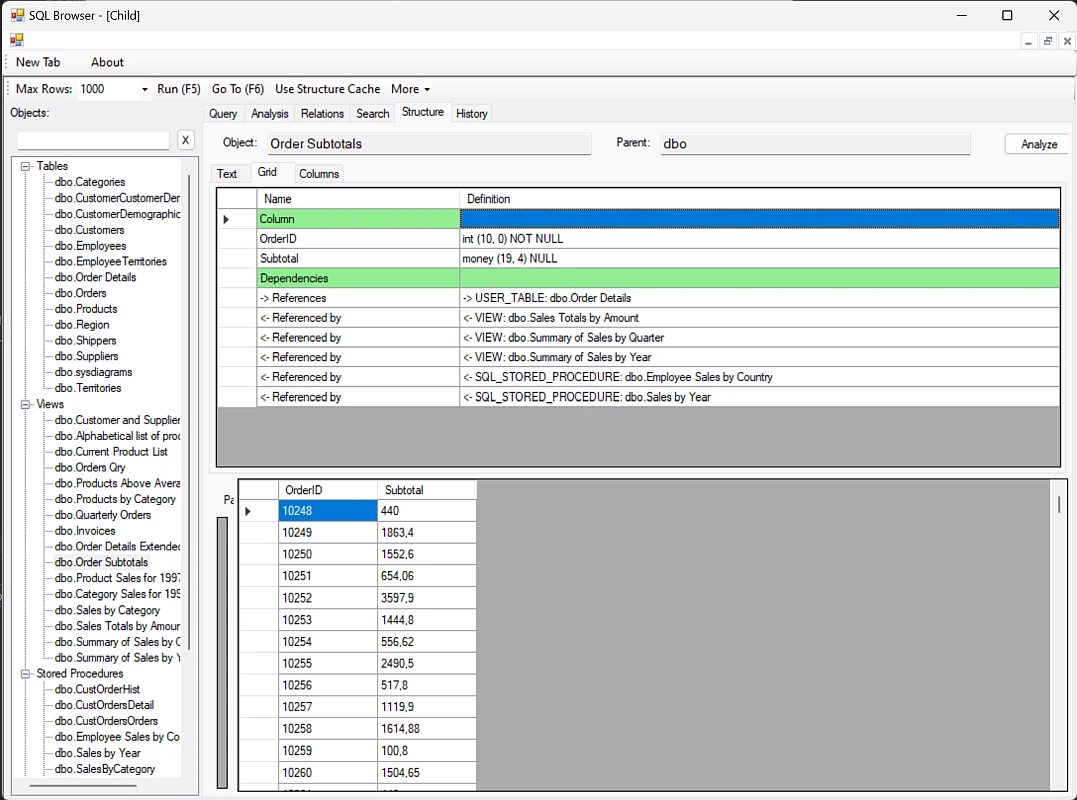
Find references
Check which database objects (tables, views, stored procedures, functions) use selected object and which other objects are used by that object.

Run Stored Procedure and Function with parameters
List Stored Procedures and Functions, view their parameters and execute them after providing the values to the parameters.
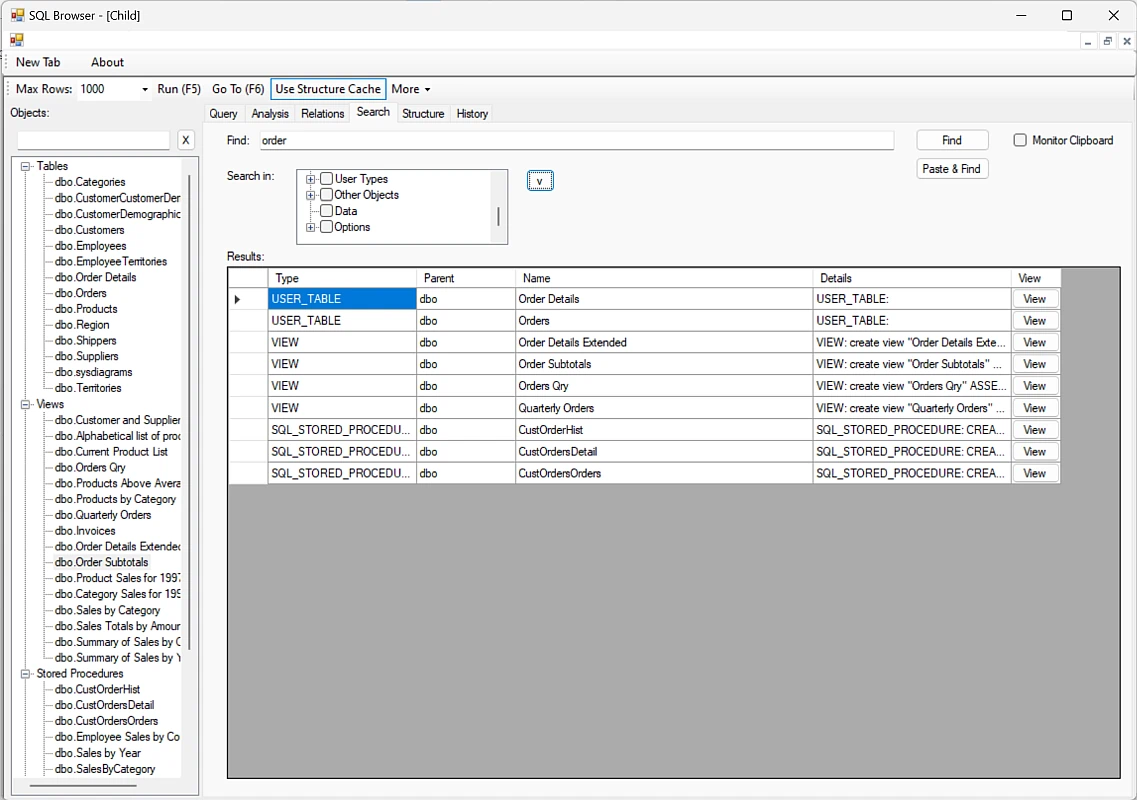
Search a database object
Find a table, view, column, index, stored procedure or function name and code that contains given word.
Search entire database's data for a given value.
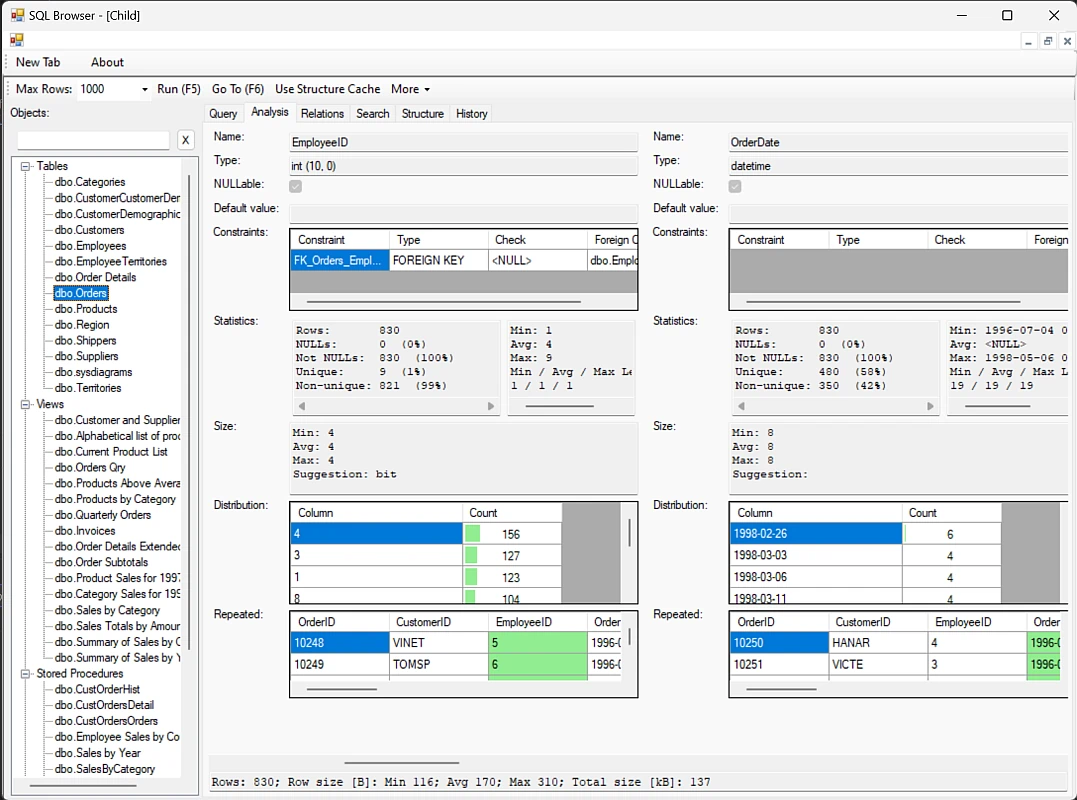
Extensive statistics
View detailed statistics and data distribution for every column of a table or view.
Quickly inspect which columns could be indexed or NULLed.
Detect invalid or out-of-range data by looking at the minimum and maximum values.
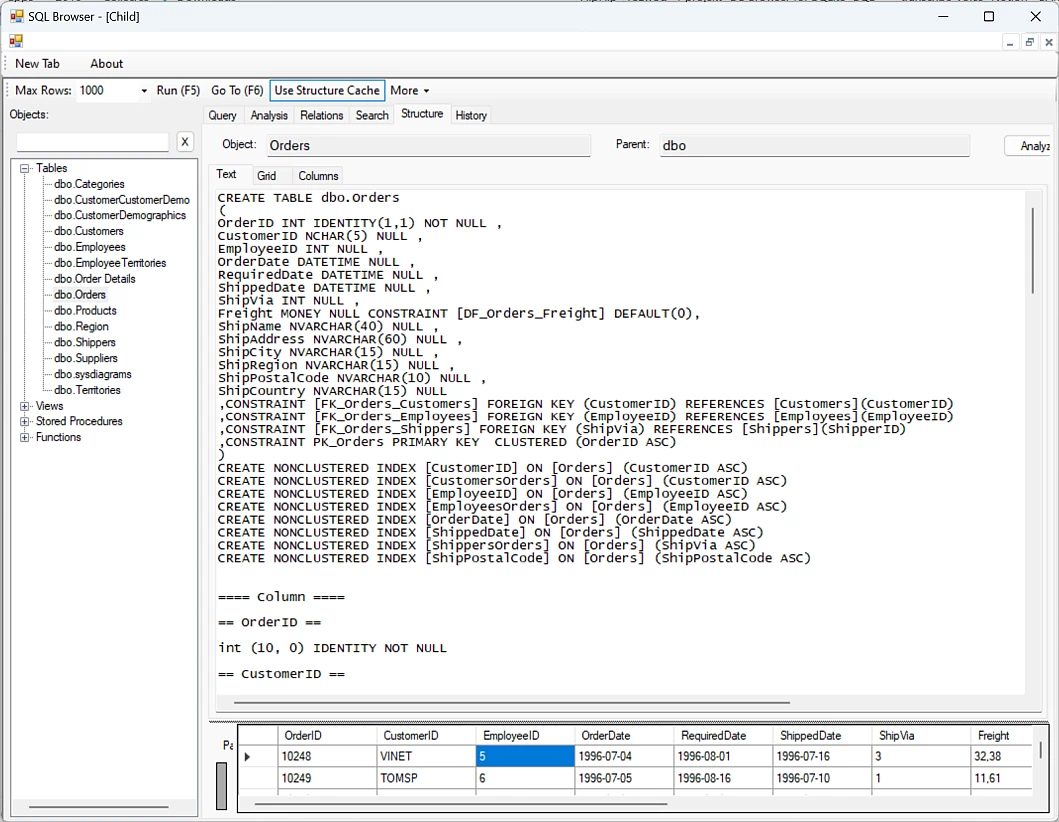
Create DDL
View definition of database objects. Create DDL (Data Definition Language) SQL commands to recreate or inspect the selected object.
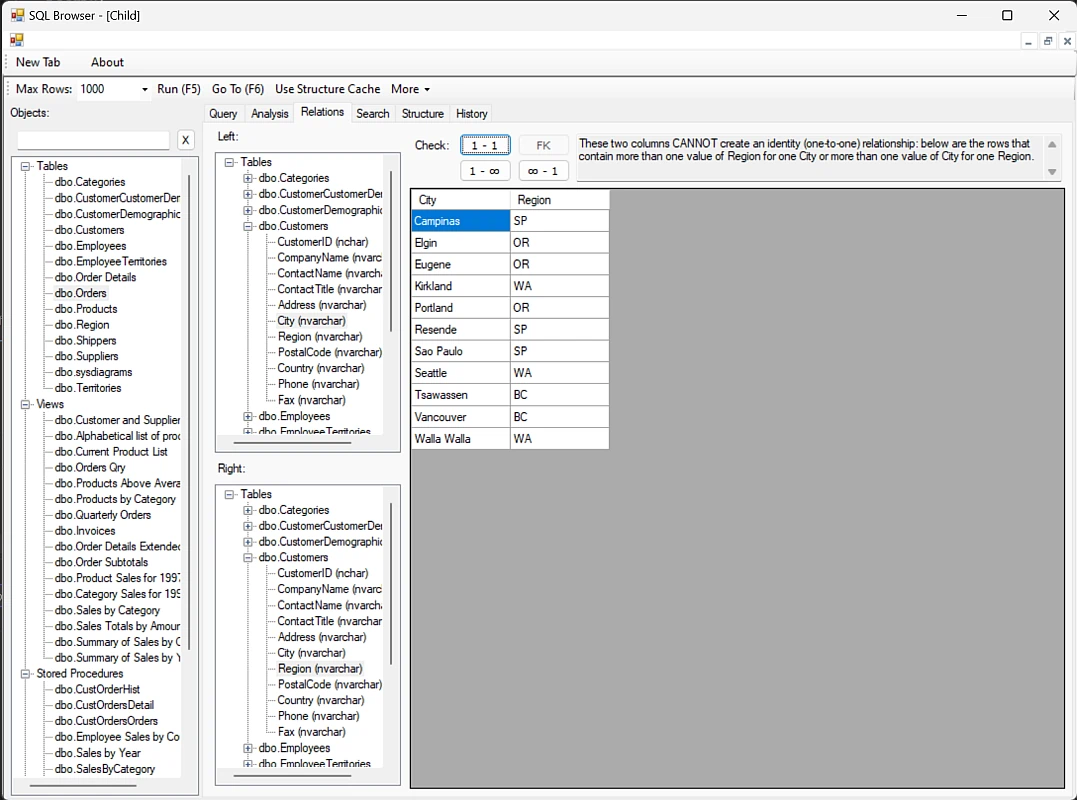
Validate new relation
Run a check to verify whether given pair of columns could create a parent-child, child-parent or one-to-one relation. That's useful to deduplicate and normalize data by extracting one or two columns to a separate dictionary table.

Browse data
Start browsing data from one table or query and immediately look up foreign keys in new views.
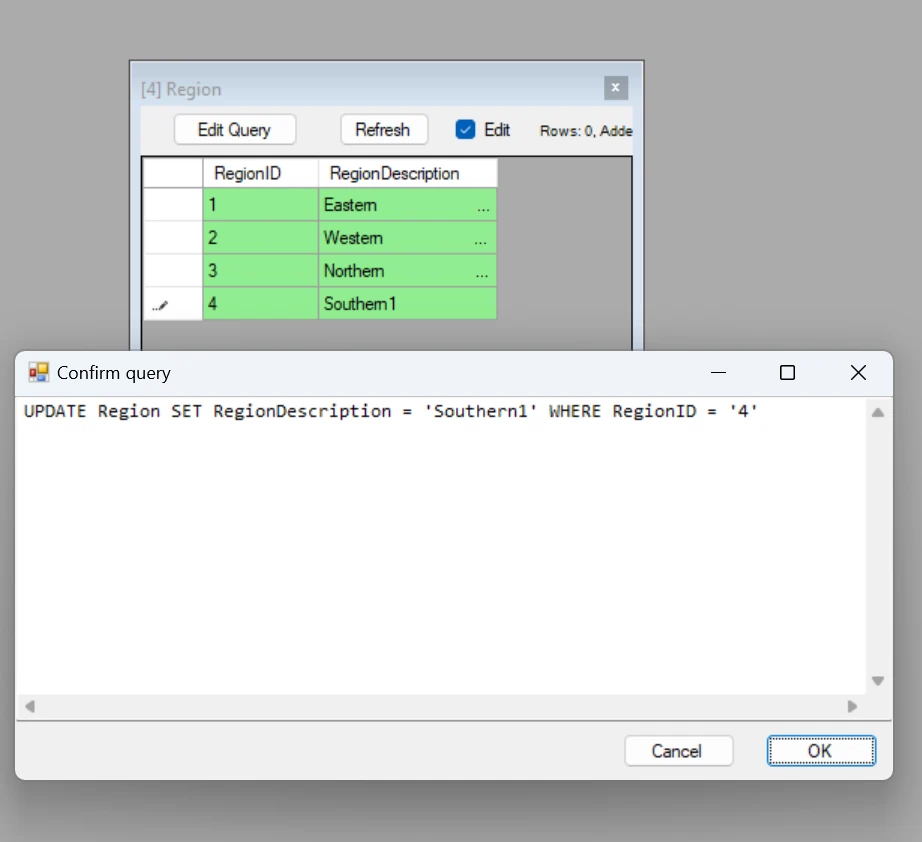
Edit data
After you edit data and submit it, you will see a confirmation window with the generated query. You can either proceed and commit the change or just copy the SQL query to the clipboard and revert that change.
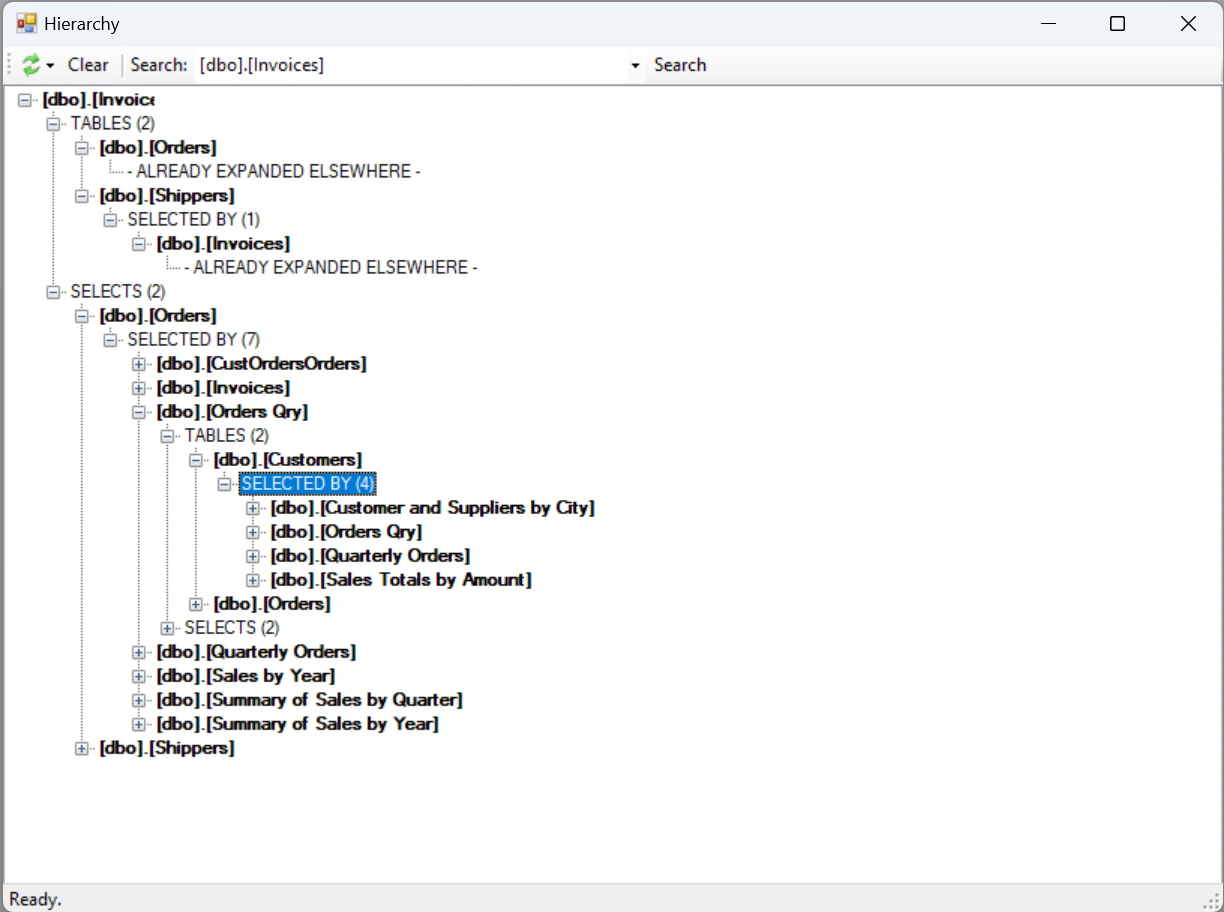
Dependency tree
Find which objects use and are used by which in an expandable tree view.
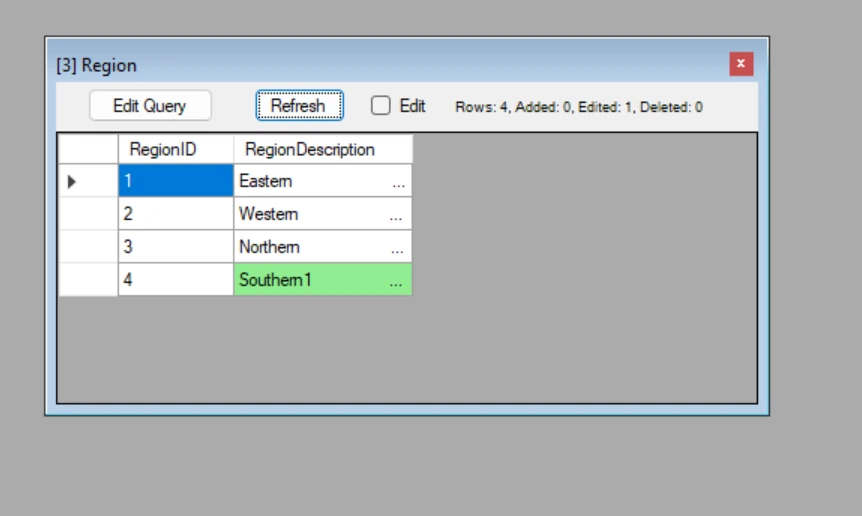
Monitor/watch data changes ##
Manually or automatically refresh data in opened windows to see updates, inserts and deletes live as they happen in the database.
SQL Browser is being actively developed, and will be available soon.
Sign up to be the first to test it!
Why SQL Browser?
Unique aid for database admins
Check integrity, statistics and relations.
Unique database tool for developers
Stop guessing column types and nullability, learn new database by browsing through its data and monitor data changes live for debugging your backend code.
Roadmap
-
Syntax highlighting and autocomplete SQL queries.
-
Support more database engines.
-
Show permissions map.
SQL Browser is being actively developed, and will be available soon.
Sign up to be the first to test it!